FREE
A place to start.
$0
Up to 3 total gigs
- Gig details, schedules, and notes
- Hours, kit fees, mileage, and expenses
- Invoicing from your tracked work
- GigLedger branding on invoices
Three gigs total; the allowance does not reset monthly.
GIG TRACKING FOR AV FREELANCERS
Keep the booking, hours, expenses, and invoice together. So when you need a detail, you know where to look.


Start free with 3 total gigs. Upgrade when you need more.
See how it works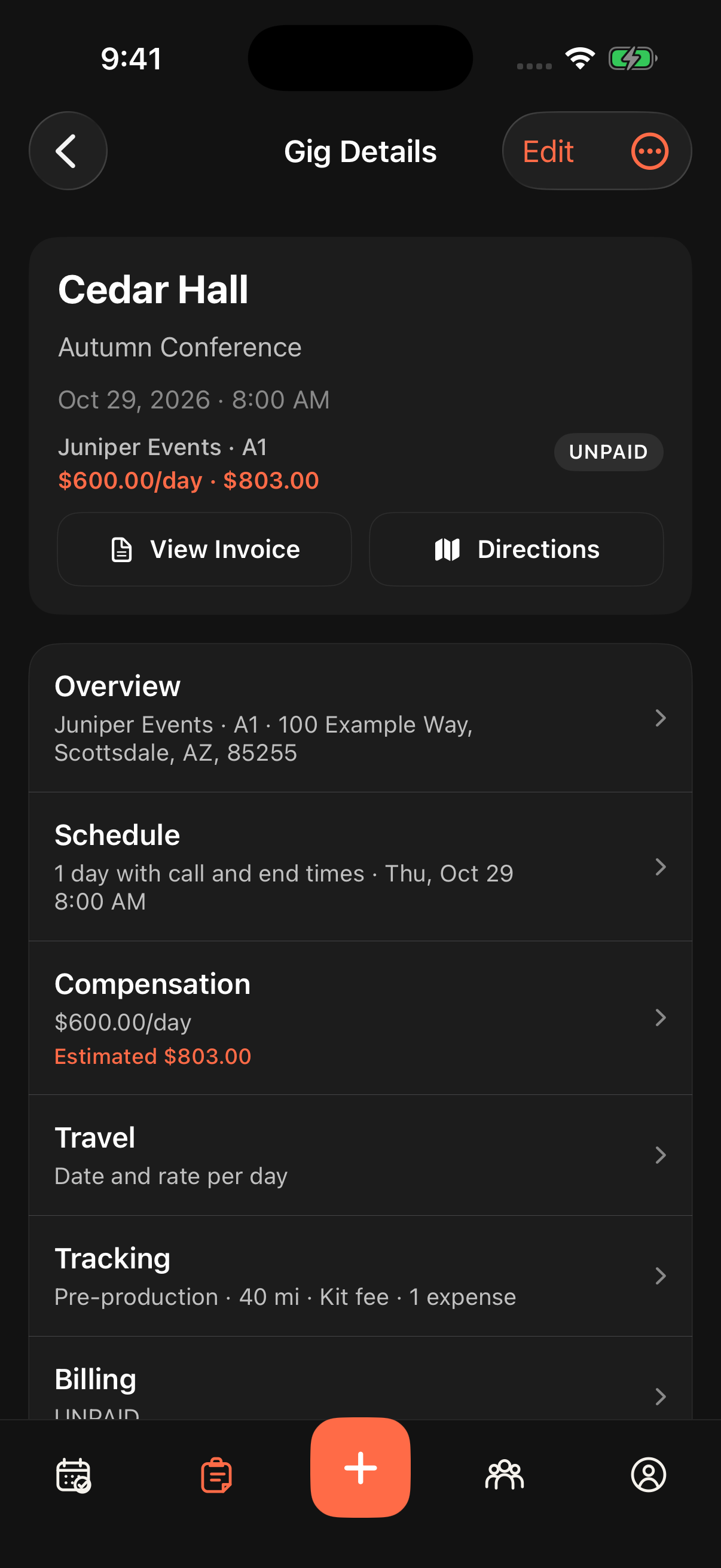
FROM THE FIRST CALL TO THE FINAL FOLLOW-UP
Keep the work and the paperwork connected.
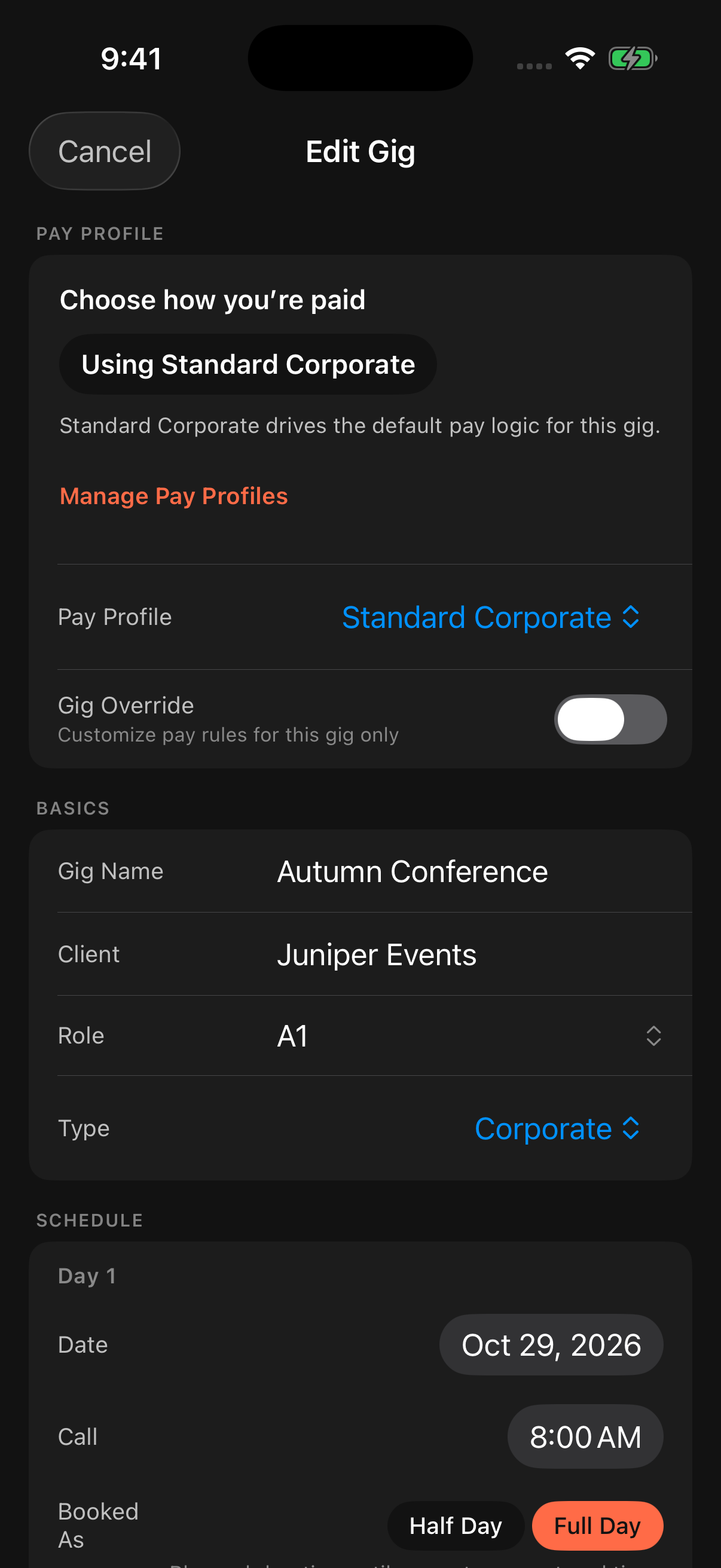
Example iPhone screens with fictional data.
GigLedger for iPhone · Booking details
01 / BOOK IT
Add the client, date, location, agreed rate, and notes. Keep the booking details together before the day gets busy.
PAY RULES YOU CAN REUSE
Set up reusable pay profiles for minimum hours, overtime, double time, and lunch rules. Choose the right profile for each gig so you don’t have to enter the same rules every time.
Example settings shown. Use the terms you agreed for each job.
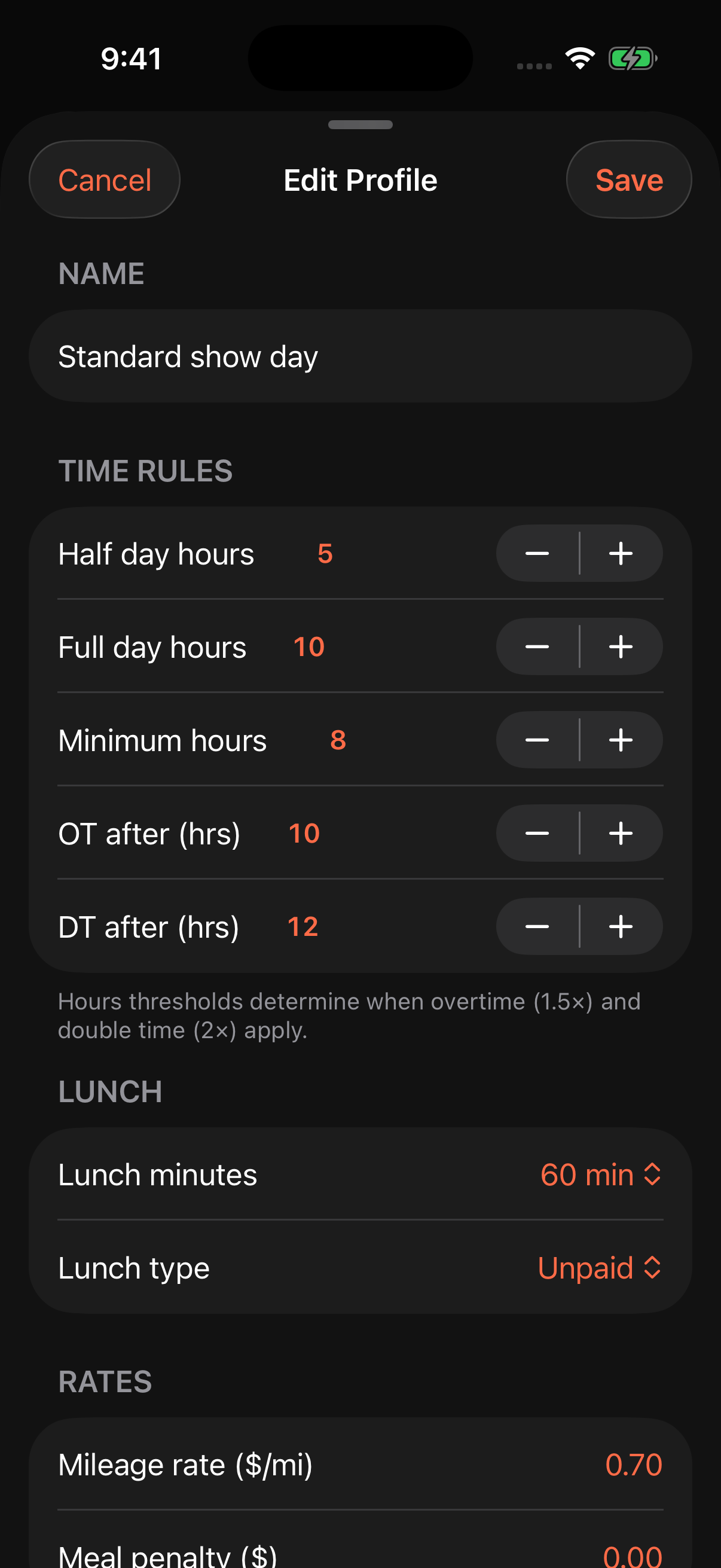
LESS PIECING IT TOGETHER LATER
Keep the details with the job. When it’s time to review your records or prepare an invoice, you have somewhere to start.
Explore the featuresSTART WITH A REAL GIG
Start free. Choose Pro when your gig log grows.
FREE
$0
Up to 3 total gigs
Three gigs total; the allowance does not reset monthly.
GIGLEDGER PRO
$4.99 / month
or $49.99 billed annually
Choose monthly or annual billing in the app.
Standard US prices in USD. Local prices and taxes may vary. Pro renews automatically until canceled; manage it through the provider where you subscribed. Final price and terms appear before purchase.
A MORE ORGANIZED SHOW DAY
A practical checklist for keeping the booking, hours, add-ons, and invoice together.
A1 and A2 calls, prep days, kit charges, and repeat clients—without a separate reconstruction after every show.
Free includes up to three total gigs, with gig details, hours, expenses, and invoicing. It keeps GigLedger branding on invoices and does not include custom invoice logo uploads. The three-gig allowance does not reset each month.
Pro includes unlimited gigs, custom invoice logo uploads, and control over GigLedger branding on invoices. The standard US price is $4.99 per month or $49.99 billed annually.
Yes. GigLedger is available for iPhone, iPad, and Android, with a web app at app.gigledger.io. Sign in with the same GigLedger account to access your records across devices.
You can record hourly or day rates and use pay profiles for your agreed rules, including overtime. Review the gig’s compensation details against the terms you agreed with the client before invoicing.
Yes. Use the labor, kit fees, mileage, and expenses you recorded on the gig to prepare an invoice. Review the details, then share the invoice and update its status as the work moves through billing.
FOR THE PEOPLE BEHIND THE SHOW
Start with the booking you already have.
Try GigLedger free with up to 3 total gigs.